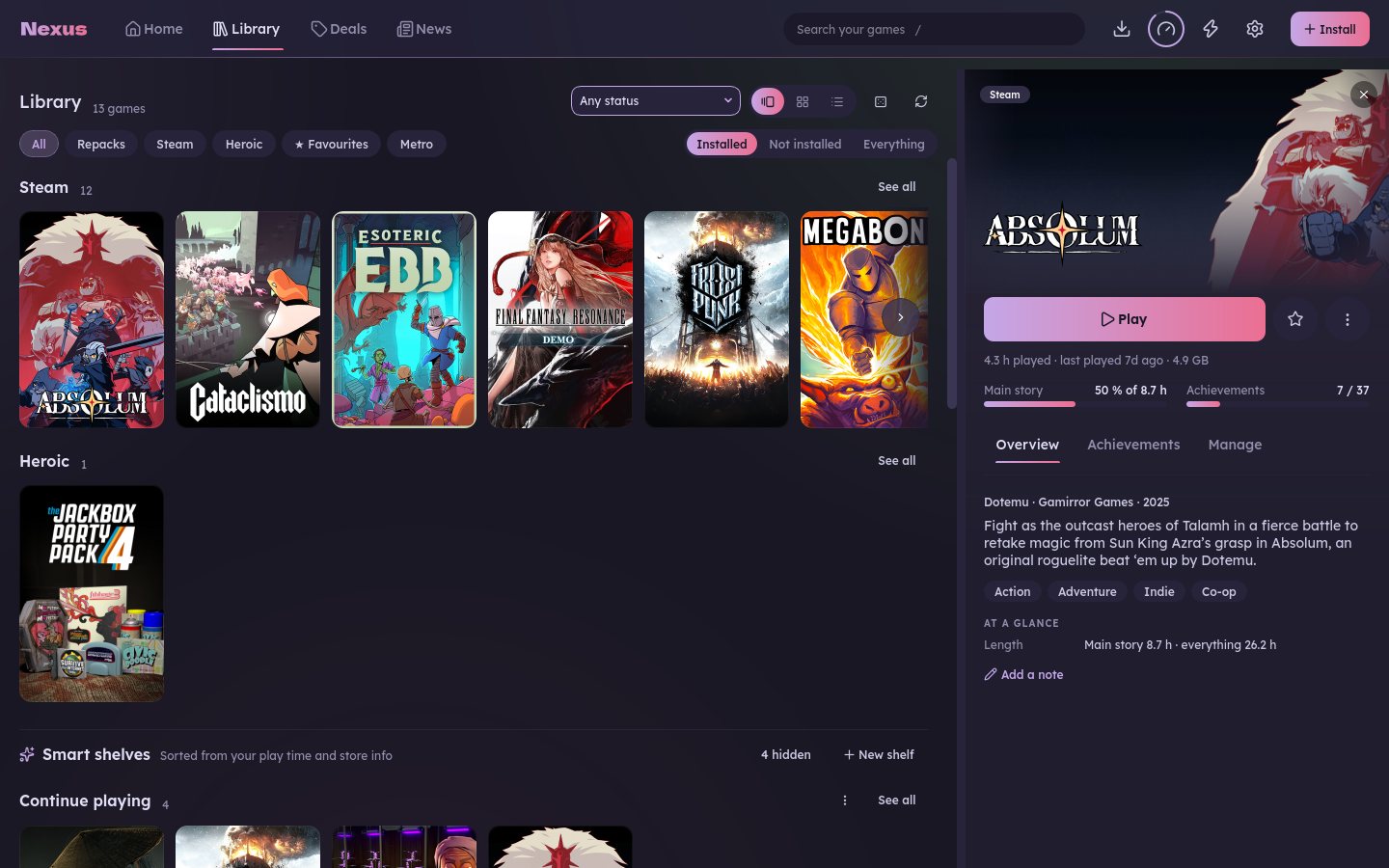
One library
Steam, Epic and Heroic games side by side, as shelves, a grid or a list, and every game gets its own page.
Steam, Epic and Heroic side by side, games installed from their setup files, and a Theatre mode for the couch. Free and open source, on Linux and Windows.
No account, no telemetry v0.5.4 · 7 November 2026 · What's new
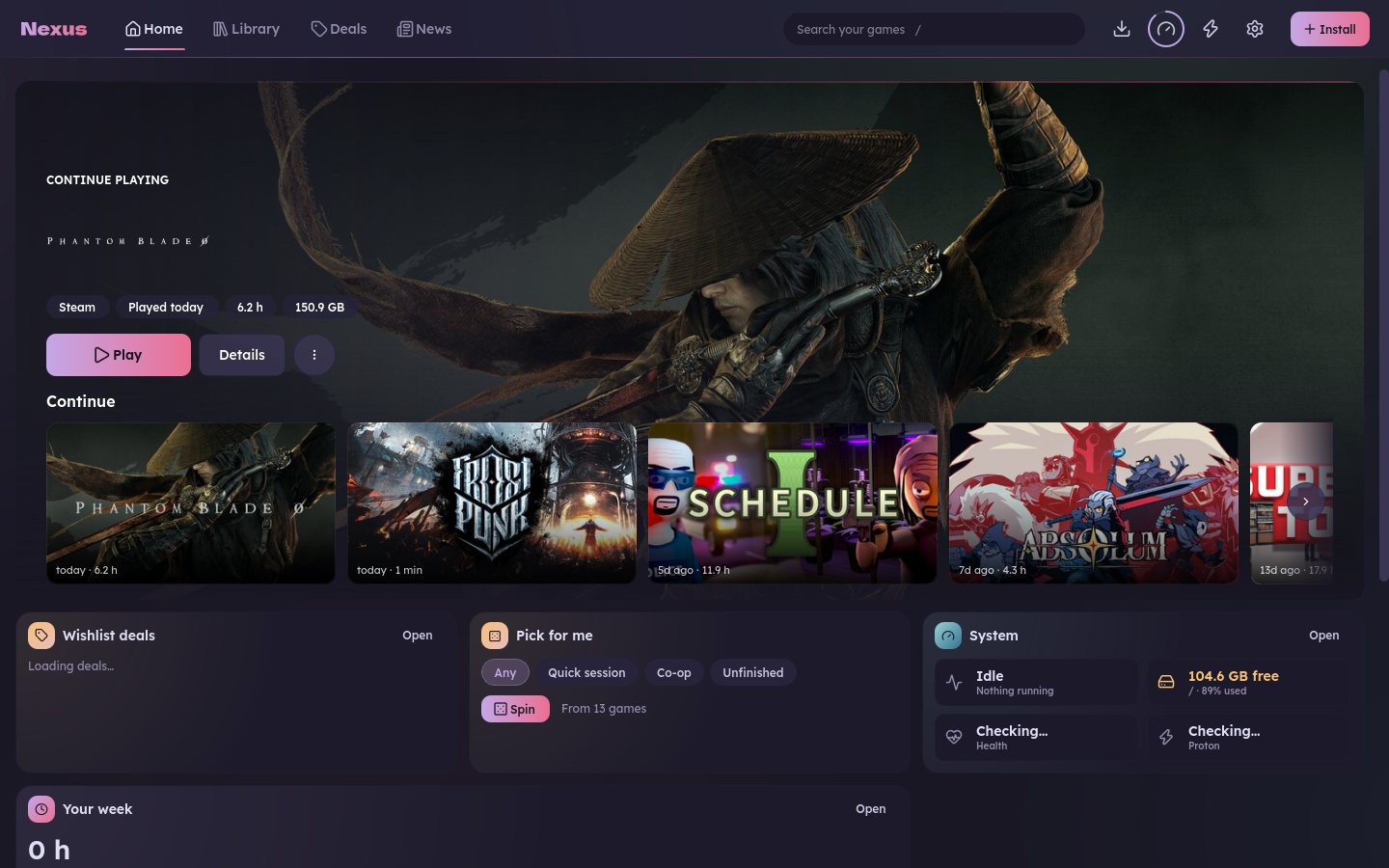
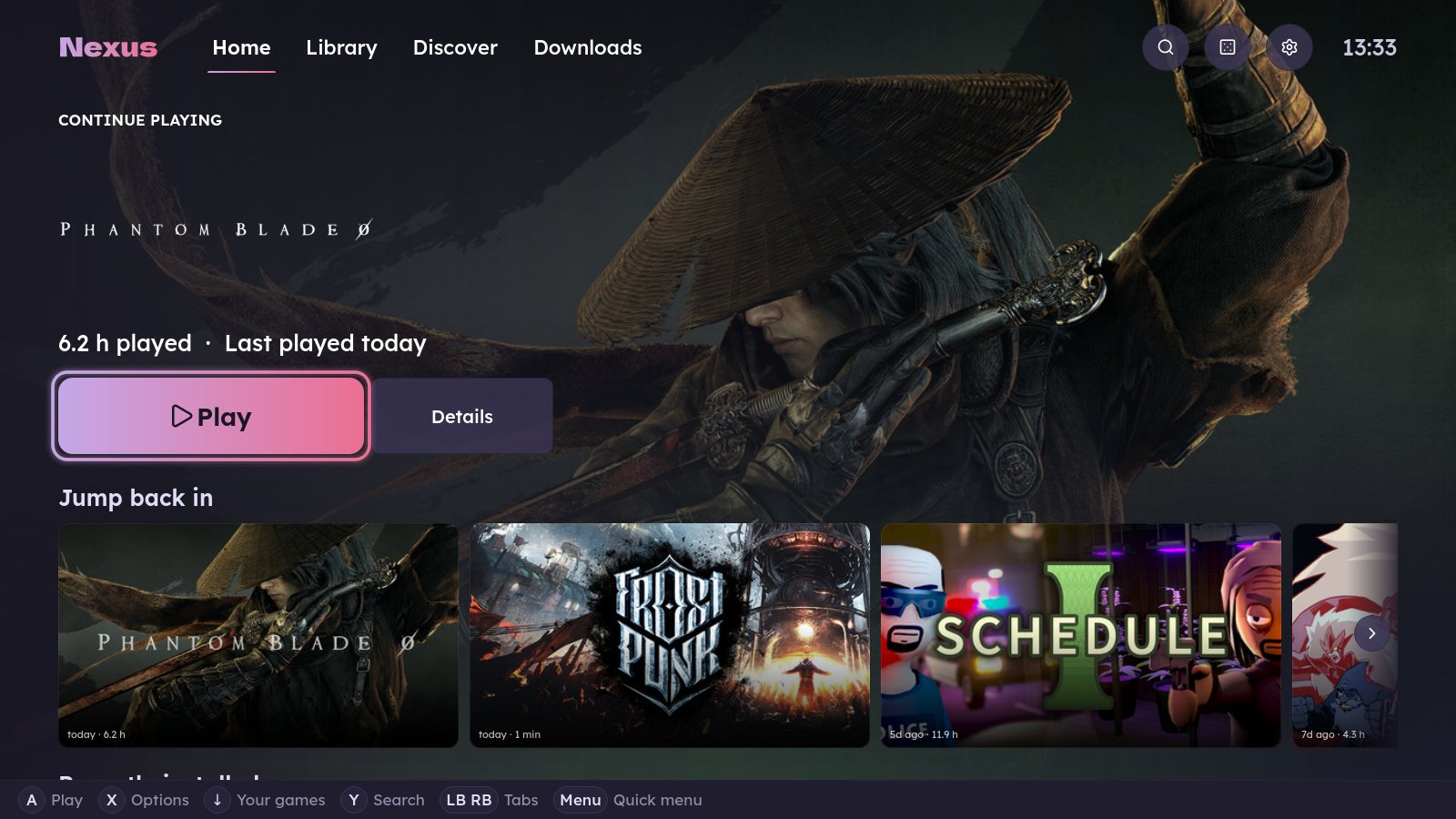
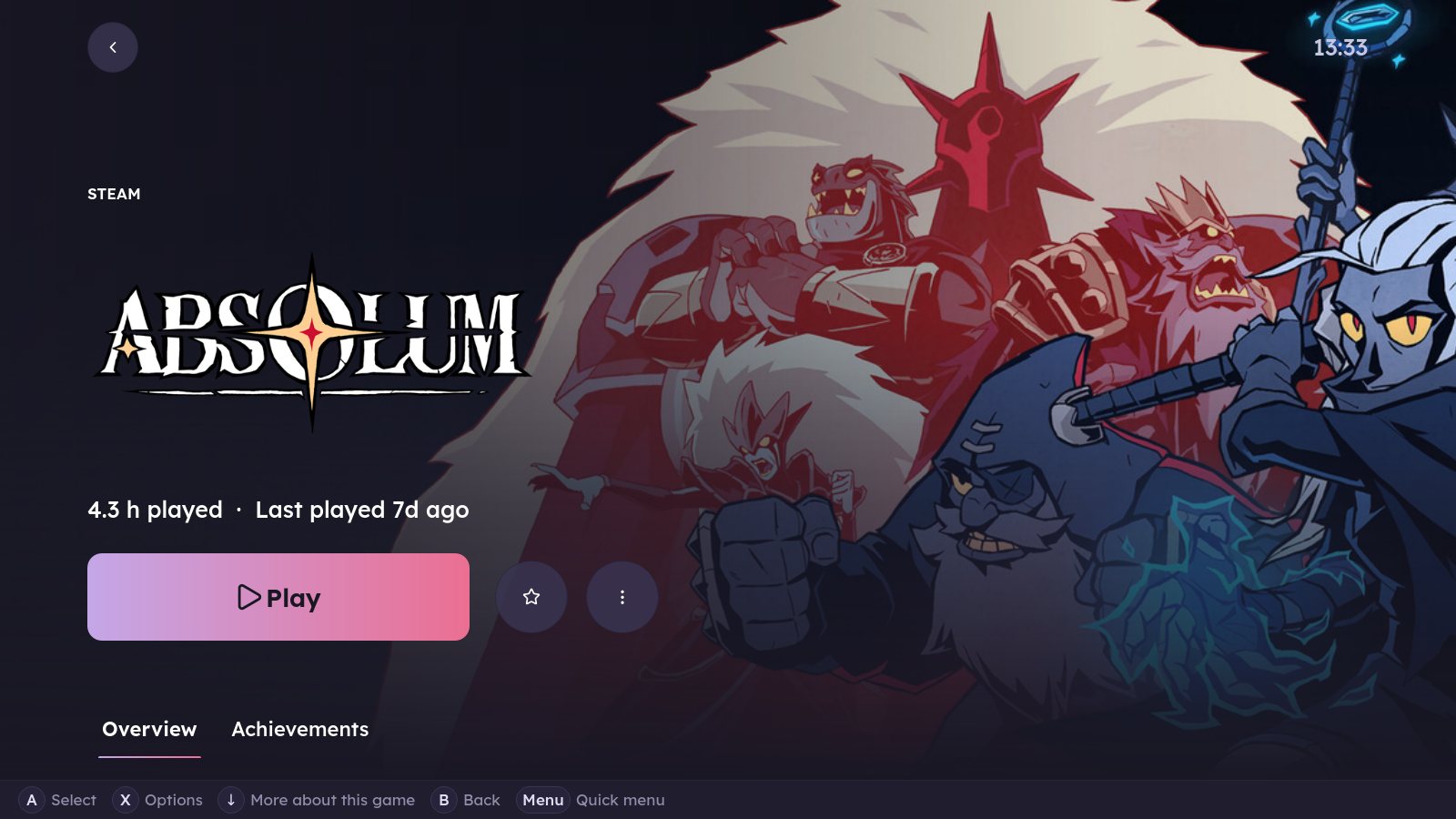
Hover a card to open it.
Steam, Epic and Heroic games side by side, as shelves, a grid or a list, and every game gets its own page.
Point Nexus at a setup.exe and it installs the game, finds its launcher and adds it with artwork.
A full-screen mode for the TV, with big tiles and a quick menu, driven by an Xbox, PlayStation or Switch pad.
News and patch notes for the games you own, and quiet tray alerts. Deals and Upcoming need Game-db.
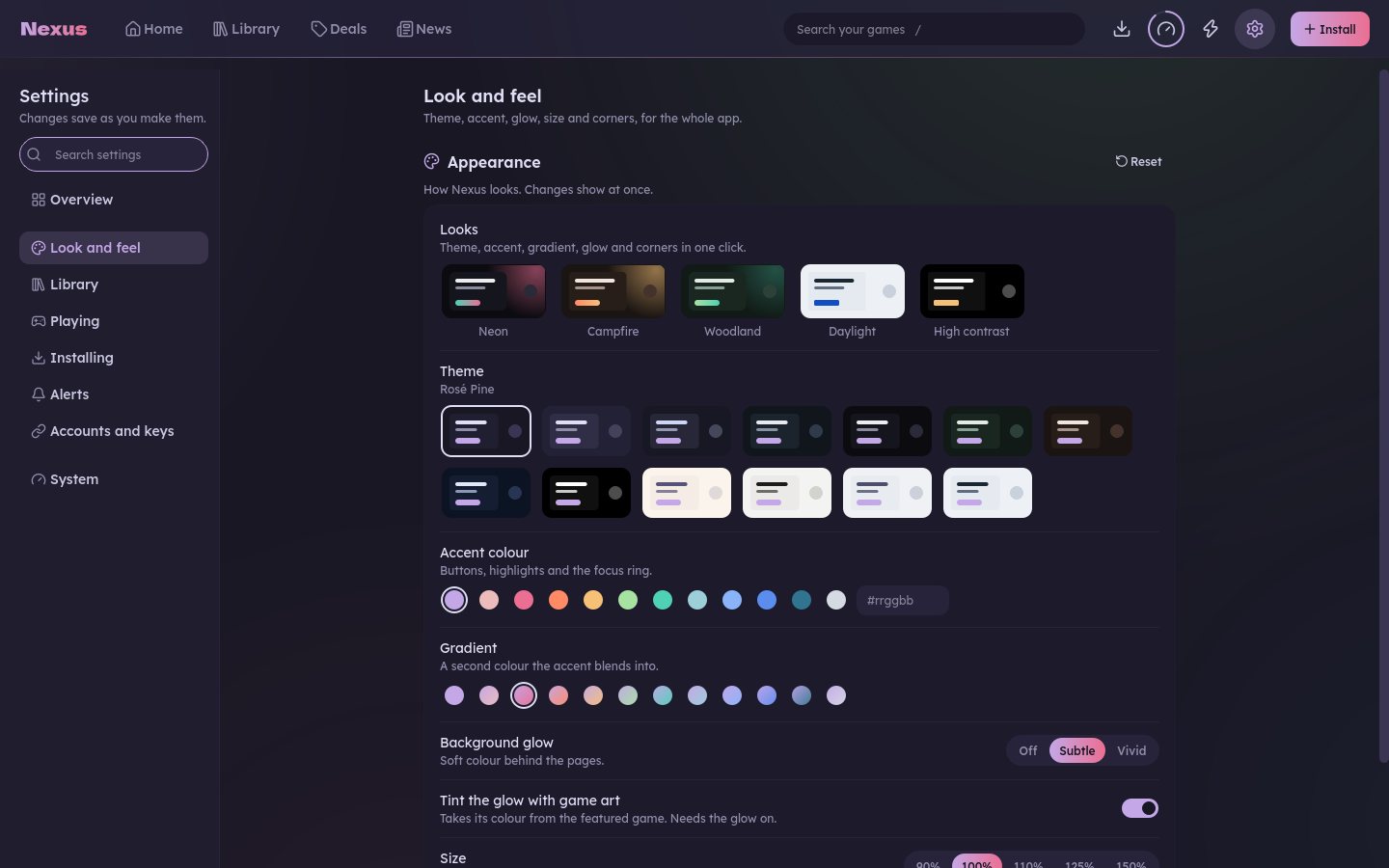
Dark and light themes, accent colours, glow and corner styles, and a 90 to 150 % size for big screens.
Free, MIT licensed, no account. Your settings stay on your computer.
Windows 10 or 11, 64-bit. Installs just for you, with no admin prompt.
Download for WindowsOr the portable zip, no install needed.
Windows may warn you the first time. The build isn't code-signed, so SmartScreen can stop it: click More info, then Run anyway.
Python 3.11+ and PyQt6. Arch, CachyOS and Manjaro shown; Fedora uses dnf.
git clone https://github.com/cyberpunk89/nexus-launcher.git ~/nexus-launchercd ~/nexus-launchersudo pacman -S --needed python-pyqt6 python-vdf umu-launcherln -sfn "$PWD/bin/nexus" "$PWD/bin/nexus-cli" ~/.local/bin/nexus --install-desktop && nexusDebian, Ubuntu and the Steam Deck: see Install in the README. A git pull updates Nexus.
Plug in a controller and Theatre takes over the TV: big tiles you read from the sofa, a quick menu for everything, and the PC behind it stays out of sight.
Xbox, PlayStation or Switch. Nexus can open Theatre by itself when one connects, or press ≡.
Home, Library, Downloads and Discover, an on-screen keyboard for search, and a background that takes the colour of your game.
Guide opens the quick menu over any game: Resume, Quit, battery, Sleep. A short summary shows when you stop.
Nexus has no account, no telemetry and no ads. Your library, play time and settings live in files on your computer, and nothing leaves it unless you ask.
Library, play history, saves and settings are local files you can read and delete.
Steam friends, artwork and Game-db run only with keys or invites you add yourself.
Nexus only reads what Steam already shows you. Nothing about you is sent anywhere.
Every line is on GitHub under the MIT licence. This site has no cookies or analytics either.
After a crash. Try it: tick what you'd share.
Windows games on Linux usually come with a to-do list of tools and wiki pages. Nexus crosses it off for you.
nexus-cli --doctorProton readyProtonDB ratings onumu-launcher foundPresets readyHeroic linkedCleanup list readySunshine foundDownload Proton builds and check them by hand
Proton manager. The newest GE-Proton in one click, checksum-verified.
Look up every game on ProtonDB, then pick a Proton
Per-game Proton. ProtonDB ratings sit right on the game page.
Make a Wine prefix just to run a setup.exe
Setup-file installs. Runs under Proton through umu and lands in your library.
Copy gamescope and MangoHud options between games
Performance presets. gamescope, MangoHud and lsfg-vk, chosen per game.
Keep Heroic open in a second window
Heroic in the library. Your Heroic games next to Steam, with the same pages.
Hunt for stray prefixes eating the disk
Storage cleanup. One bar per drive, and everything goes to the Trash first.
Set up streaming to the living room yourself
Sunshine streaming. Stream your games to another screen from Nexus.
Game-db is Nexus's companion server. It keeps the price, release and backlog data that a desktop app can't gather on its own. Access is by invite while it's small.
Everything else on this page works without it. Nexus never needs an account to run.
The game you're on fills the top in Cinematic, Wide or Banner style, over its art, a gradient or a plain card. Pin any game to it.
Beside Play, Nexus suggests what to do next: a finished download, a game a friend is playing, a deal or a game to pick up again.
Start Home from a preset, save your own layouts and let Nexus switch between them by time of day. Big charts moved to Play history.
With your Steam Web API key: who owns a game, who is playing now, a Friends own filter, and Play together to find games you all own.
After a crash Nexus keeps a crash file and drafts a report without your personal paths. Open it on GitHub or send it without an account.
Small buttons, controller hints and the For you now pill keep their shape under every Corners and Size setting.